Coordinates and visual clues together
Attach a photo, level, block, row, and a free-form note to the record. On the way back you see those clues next to the map, not just a pin.
Your smart parking assistant
Karto saves your parking spot in one tap and lets you attach a photo, level, block, and note. On the way back you get walking directions, a compass, and every clue you saved.
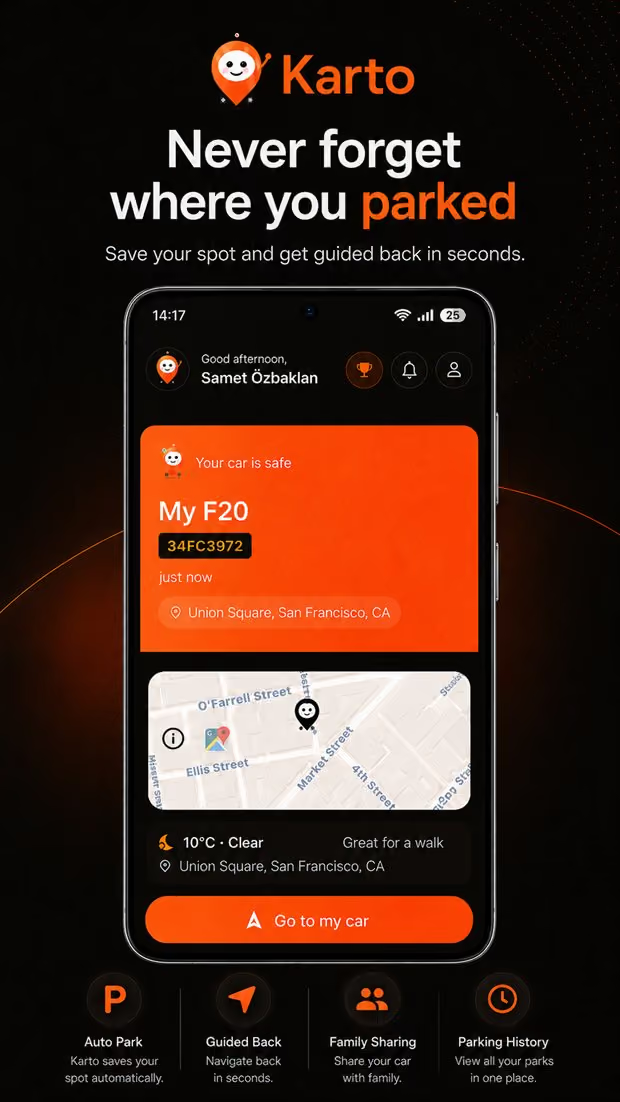
Karto does one job and does it completely: it keeps the exact place you left your car together with the details that describe it. A GPS coordinate is often not enough. In a garage what actually helps is the level number, the block letter, the nearest lift, and the photo you took as you walked away.
Attach a photo, level, block, row, and a free-form note to the record. On the way back you see those clues next to the map, not just a pin.
Follow walking directions on the way back, and switch to compass mode where the signal drops so you keep a bearing and a distance.
If you paid for time, save it and Karto reminds you before it runs out. Your parking history also shows what you have spent.
Share the parking spot with the people who drive the same car, so everyone can see where it was left and by whom.
Apple Watch and Wear OS apps, a home screen widget, and lock screen access let you save a spot or start navigating without unlocking your phone.
With Premium, Karto recognises the moment you leave the car from motion data and saves the spot quietly. When it is not certain it asks instead of guessing.
Three steps. You do not need to keep the app open or configure anything in the background.
Tap the park button on the home screen. Take a photo, enter the level and block, add a short note if you want. The record is complete immediately.
Karto does not follow your location in the background. The record is taken once and stays on your device until you need it.
Tap return and the walking route opens. Indoors, the compass plus the level, block, and photo you saved take over from the map.
GPS is not reliable inside a garage. Concrete and steel weaken the satellite signal, so a phone often records the last point where it could still see open sky. This is not specific to Karto — it is a physical limit of location hardware, and no app removes it entirely.
Karto's approach is to work around that limit instead of hiding it. Inside a garage the useful information is not a coordinate but the level number, the block letter, the nearest lift or exit, and the photo you took while parking. That is why a parking record here is a small set of clues rather than a single point.
The same honesty applies to Auto Park: motion data cannot always pin down the exact moment you parked. When Karto is not sure, it asks you rather than silently writing a wrong record.
Frequently asked
No. A record is taken once, when you tap save or when Auto Park detects that you parked. No continuous location history is kept.
Yes. The record is created on your device and syncs once you are back online, so no signal in a garage does not stop you from saving.
GPS depends on satellite signal and concrete structures block it. That is why the level, block, row, and photo fields exist — indoors those are what actually lead you back to the car.
Saving spots, history, walking directions, and widgets are free. Auto Park and some advanced features are part of the Premium subscription.
iPhone and Android phones. Apple Watch and Wear OS watches, home screen widgets, and lock screen shortcuts are supported as well.
Yes. Family sharing lets everyone who drives the same car see the spot, and you can also send a one-off link.
Content hub
Save your parking location · Find your car in a parking garage · Automatic parking location
All parking guides · Where did I park? · Find a parked car on iPhone or Android · Save parking in Google Maps
Get Karto
Download Karto, save the spot in one tap as you leave the car, and follow the route back when you return.