Photo
The fastest way to recognise a spot. A pillar number, a bay sign, or the shop you parked in front of is usually enough to place yourself instantly.
Save your parking location
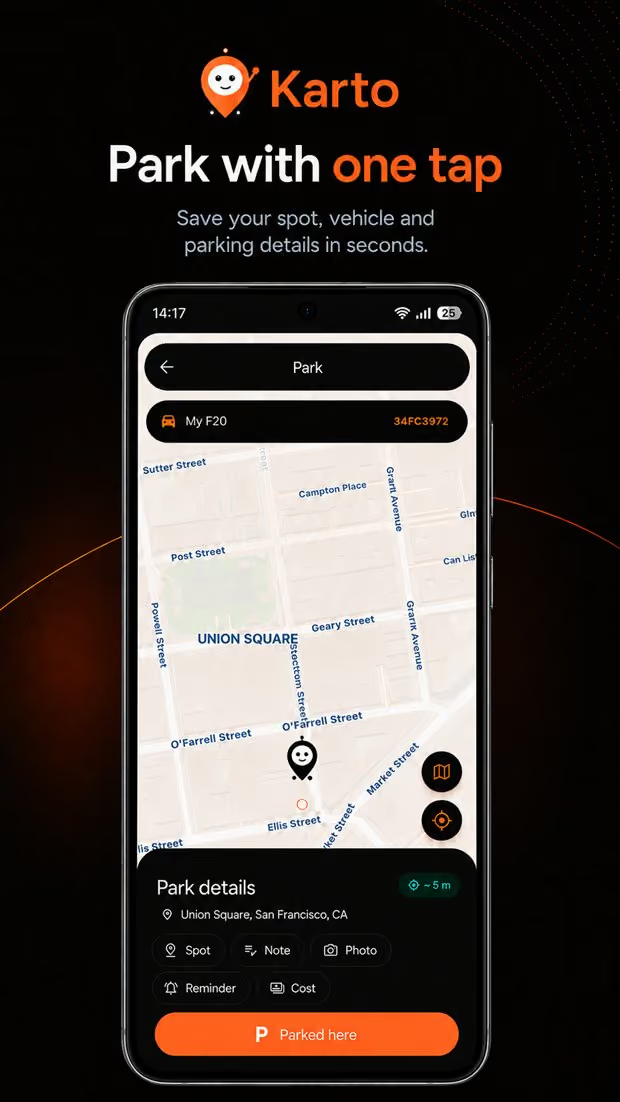
Karto records where you left your car together with the details that describe the spot — a photo, the level, the block, the row, and a short note — so finding it again does not depend on memory.
Problem and solution
Most people already have a way to drop a pin. The problem is that a pin answers one question — roughly where — and leaves the ones that actually cost you time: which level, which block, which row, which entrance you used, and whether the pin was even accurate when you saved it.
That gap widens exactly where parking is hardest. In a multi-storey garage a pin has no floor. In a large open lot a pin fifteen metres off puts you in the wrong row. After a long day you may not remember whether you came in through the north or the south entrance, and the map cannot tell you.
Karto treats a parking spot as a small record rather than a single coordinate. The location is the starting point; the photo, level, block, row, and note are what get you the last fifty metres.
Step by step
The whole flow is designed for the moment you are already walking away from the car.
Open Karto — or the widget, lock screen, or your watch — and tap the park button. The location is written immediately, before you add anything else.
Take a photo of the nearest pillar or sign, type the level and block, add a row number or a free-form note. Every field is optional; add only what you will need.
Nothing stays running. Karto does not follow you in the background — the record was taken once and it waits on your device.
Tap return and you get walking directions. Where the signal is poor, the compass plus your saved clues take over from the map.
With Karto
Each field exists because it answers a question a map pin cannot.
The fastest way to recognise a spot. A pillar number, a bay sign, or the shop you parked in front of is usually enough to place yourself instantly.
The two pieces of information a garage is organised around, and the two that GPS can never supply.
For large open lots and airport car parks, where the difference between rows is the difference between two minutes and twenty.
If you paid for a period, save it and Karto reminds you before it expires. Your history keeps the cost so you can see what parking is adding up to.
If you use more than one vehicle, the record is tied to a specific car, so your history stays readable instead of turning into a single stream of pins.
Send the spot to whoever is picking the car up, or share it inside a family group so everyone sees where it was left.
An honest note on limits
Saving a location is only as good as the signal at the moment you save it, and it is worth being clear about where that breaks down.
Frequently asked
No. You can save spots straight away. An account is only needed for syncing across devices, family sharing, and Premium features.
No. The location is read once when you save, not continuously. Karto does not keep a background location session open.
Yes. Apple Watch and Wear OS can both save a spot and start the walk back without touching your phone.
Karto has nothing to show you — it does not record where you have been. Auto Park on Premium exists for exactly this, and it saves the spot for you when it detects you have parked.
Related solutions
Get Karto
Add the photo and the level while you are still standing next to the car. It takes seconds and removes the search entirely.