Android car Bluetooth
Choose a paired vehicle device and Karto can treat its disconnection as a parking signal. The selection stays on your device.
Premium Auto Park
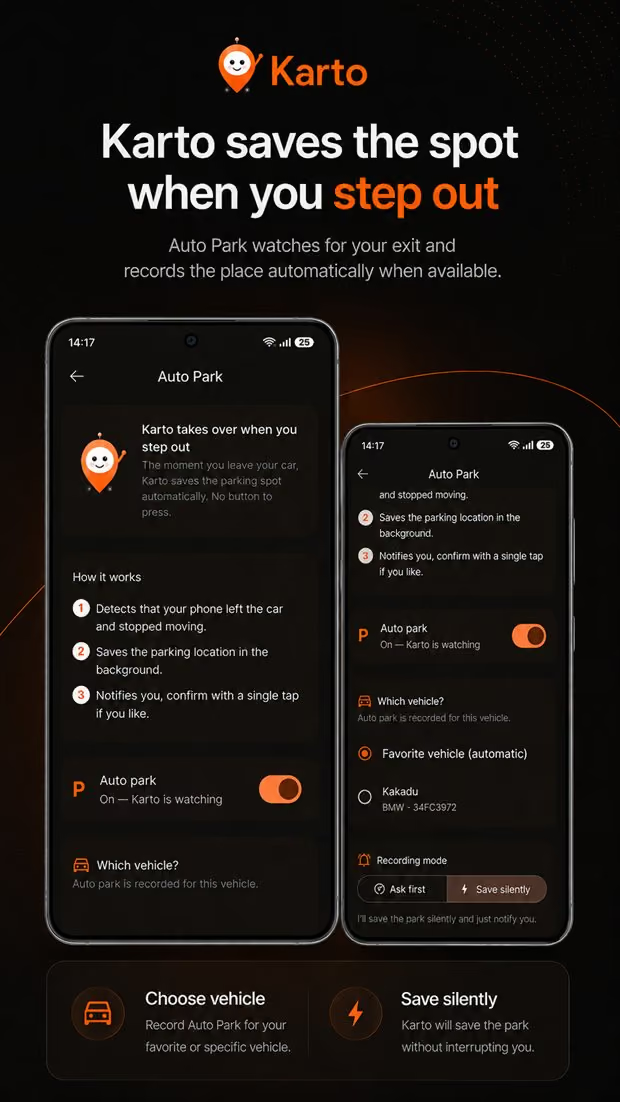
Karto starts with motion detection, can use your selected car Bluetooth on Android or a one-time CarPlay automation on iOS 17+, and lets you choose whether it saves, asks, or stays quiet when signals are uncertain.
Problem and solution
A manual parking save takes seconds, but it is easy to skip when you are late, carrying bags, or stepping out in an unfamiliar place. Auto Park exists to reduce that missed moment, not to create a continuous travel history.
Karto evaluates motion as the base signal. On Android, disconnecting from the car Bluetooth you selected can add evidence. On iPhone, a personal Shortcuts automation can notify Karto when CarPlay disconnects. Smart mode saves quietly when independent signals agree and asks for confirmation when they do not.
Step by step
Turn it on once, choose the vehicle and optional signal that match your phone, then decide how much confirmation you want.
Open Auto Park settings and review the motion and background location permissions requested by your operating system.
Select the vehicle for new saves. On Android you can select a paired car Bluetooth device; on iOS 17+ you can create the provided CarPlay Shortcuts automation.
Ask first requests confirmation every time. Smart mode saves when signals agree and asks when unsure. Silent save records a qualifying event directly.
Run one real test, especially with a locked iPhone. Check the saved point and add a level, block, photo, or note when the map cannot describe the space.
With Karto
Motion remains the base; Bluetooth or CarPlay can provide another clue without requiring a separate tracker.
Choose a paired vehicle device and Karto can treat its disconnection as a parking signal. The selection stays on your device.
On iOS 17 or later, create a personal Shortcuts automation once so CarPlay disconnection can trigger Karto's Auto Park action.
When independent evidence describes the same parking event, Karto can save quietly. When confidence is lower, it asks instead of guessing.
Signals that refer to the same stop are combined so Bluetooth, CarPlay, and motion do not intentionally create separate parking records.
An honest note on limits
Auto Park is a sensor-based estimate. No phone can guarantee that every drive ends with a perfect parking location, and operating-system restrictions can delay or block background detection.
Frequently asked
No. Motion detection is the base. On Android you can optionally use the Bluetooth system already paired with your car as an additional signal.
No. Karto does not read the Google Maps parking marker. Its Auto Park flow uses Karto's own permitted signals and saves its own parking record.
No. The permitted signals are used to detect a parking event when Auto Park is enabled; manual mode does not create a continuous background location history.
Auto Park is a Premium feature. Manual parking saves, photos, notes, walking directions, widgets, and compass guidance are available without it.
Use Smart or Ask first mode, reject an uncertain notification, or review and correct the record. Manual save remains available at any time.
Related solutions
Get Karto
Enable Karto Auto Park and choose Ask first, Smart, or Silent save for the way you drive.